Ir para o conteúdo
Back to catalog
BricsCAD
Bricsys

BricsCAD

BricsCAD 2026 is a DWG-native CAD platform with 2D/3D modeling, BIM, mechanical, and AI automation.

2026-02 Available windows Verified listing
Access link Open Telegram

Trust signals

Reviewed Link
VIP Support
Activation

Use only trusted sources and check the origin before installing any file. Availability may vary.

About the software

Overview

BricsCAD 2026 is a professional CAD platform developed by Bricsys (a Nemetschek Group company, now part of Octave) that offers native DWG compatibility without file conversion. It reads and writes the industry-standard .dwg format natively, providing a familiar interface for AutoCAD users at a significantly lower cost. BricsCAD is available in four editions: Lite (2D), Pro (2D/3D), BIM, and Mechanical, each designed for specific professional workflows.

BricsCAD stands out for its unified platform approach — 2D drafting, 3D modeling, BIM, and mechanical design all operate within the same DWG-native environment, eliminating the need for file conversions between separate applications. The 2026 release introduces AI-powered features including BLOCKIFY for automatic detection and standardization of repeated drawing elements, predictive AI that learns user habits, and enhanced point cloud processing.

EditionBest ForKey Features
Lite2D drafting professionalsDWG-native 2D CAD with full drafting toolset
Pro2D + 3D designAll Lite + 3D modeling, Quad cursor, parametric constraints
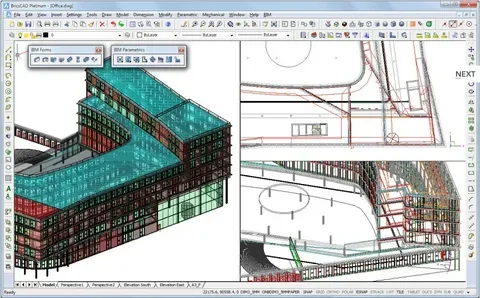
BIMArchitecture and constructionAll Pro + BIM tools, IFC, automatic element classification
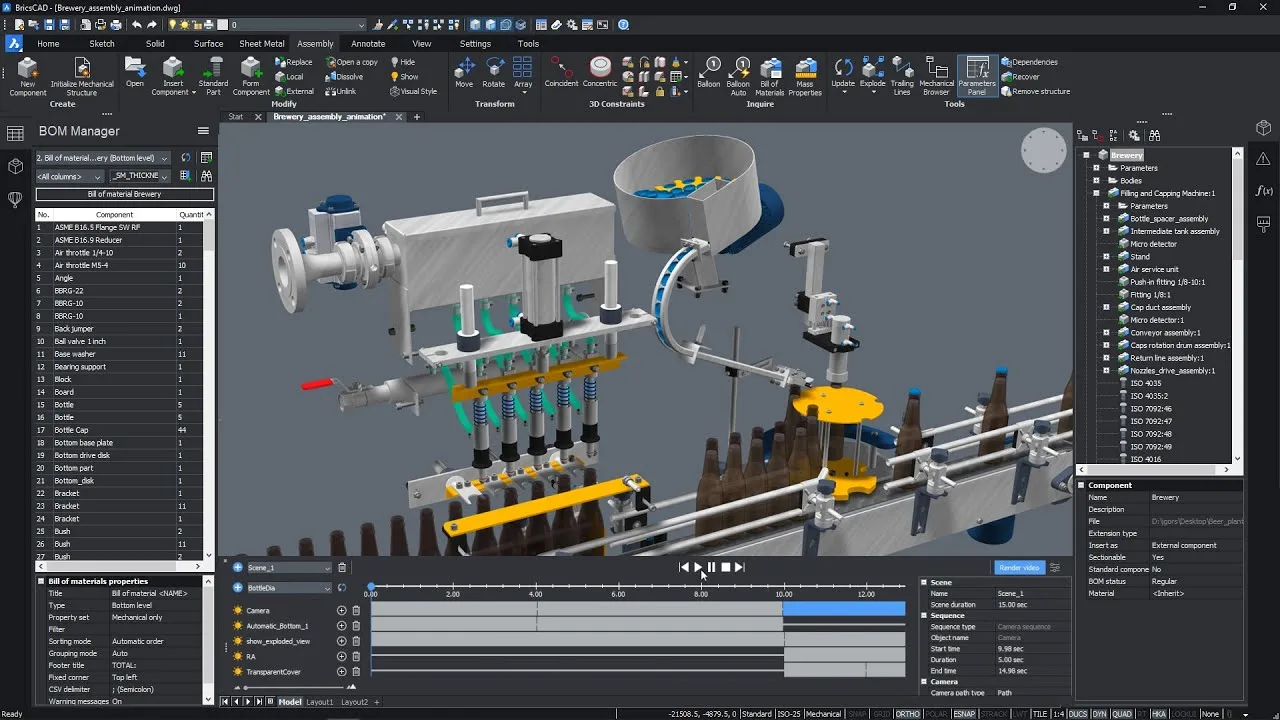
MechanicalProduct and machine designAll Pro + standard parts library, sheet metal, weldments

AI-Powered Design

BricsCAD 2026 leverages artificial intelligence to automate repetitive tasks. BLOCKIFY automatically scans drawings, identifies repeated geometry, and converts them into standardized blocks with a single click. The predictive AI engine learns from user behavior to anticipate commands and suggest next steps, reducing clicks and accelerating common workflows.

Quad Cursor and Direct Modeling

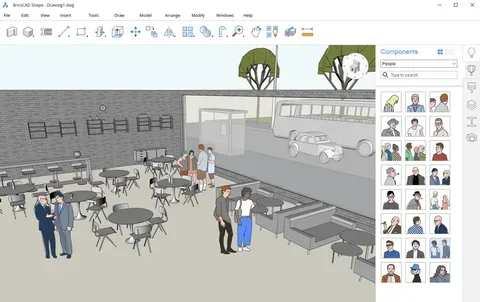
The innovative Quad cursor provides context-sensitive modeling tools that appear at the cursor location, enabling rapid direct modeling without searching through menus or toolbars. Combined with parametric constraints and dynamic blocks, BricsCAD Pro offers powerful 3D modeling capabilities that rival much more expensive CAD platforms.

BIM Capabilities

BricsCAD BIM supports the full BIM workflow with IFC import/export, automatic element classification, and AI-assisted building component recognition. The "design first, data later" approach allows architects to start with freeform shapes and convert them to intelligent BIM objects when the design stabilizes.

Cross-Platform Support

Unlike many CAD platforms, BricsCAD runs natively on Windows, macOS, and Linux — giving organizations the flexibility to deploy on their preferred operating system without compatibility layers or virtual machines.
Key features

  • 01 Native DWG file format — no conversion needed
  • 02 Quad cursor for context-sensitive direct 3D modeling
  • 03 Parametric constraints and dynamic blocks
  • 04 AI-powered BLOCKIFY for automatic block detection and conversion
  • 05 Predictive AI engine that learns user habits
  • 06 BIM with IFC import/export and automatic element classification
  • 07 Mechanical design with standard parts library
  • 08 Sheet metal design with flat pattern generation
  • 09 Point cloud processing and management
  • 10 LISP, VBA, .NET, BRX, and COM API support
  • 11 Cross-platform on Windows, macOS, and Linux
  • 12 Bricsys 24/7 cloud collaboration
  • 13 Integrated rendering engine
  • 14 Design first, data later BIM workflow
  • 15 Embodied carbon analysis tools
  • 16 Real-time cloud collaboration for team projects
  • 17 Dynamic UCS and coordinate system management
  • 18 Advanced dimension and annotation tools
  • 19 External reference (XREF) management
  • 20 Layout and sheet set management
  • 21 PDF import and export
  • 22 Raster-to-vector conversion tools
  • 23 Custom tool palettes and workspace configurations

Benefits

  • 01 Eliminate file conversion issues with native DWG format support
  • 02 Save significantly on licensing costs with perpetual license options available
  • 03 Transition seamlessly from AutoCAD with familiar interface, commands, and LISP support
  • 04 Work across 2D drafting, 3D modeling, BIM, and mechanical design in one platform
  • 05 Automate repetitive drawing cleanup with AI-powered BLOCKIFY
  • 06 Reduce clicks with predictive AI that anticipates your next command
  • 07 Deploy on Linux natively without compatibility layers or virtual machines
  • 08 Access powerful 3D modeling with the innovative Quad cursor interface
  • 09 Automate BIM element classification with AI-assisted recognition
  • 10 Extend functionality with industry-standard API support (LISP, .NET, BRX)
  • 11 Collaborate with cloud-based 24/7 project sharing
  • 12 Future-proof your workflow with open standards support including IFC

Requirements

  • 01 OS 64-bit Windows 11/10, Linux (Ubuntu 22.04+, Fedora 38+), or macOS 12+ (Intel and Apple Silicon)
  • 02 RAM 4 GB minimum (8-16 GB recommended for complex 3D models)
  • 03 CPU 2.0+ GHz processor, multi-core (Intel Core i5/i7 or AMD Ryzen recommended)
  • 04 Disco 4 GB SSD free space for installation (8+ GB recommended)
  • 05 GPU 1 GB VRAM with OpenGL 3.3+ (4+ GB VRAM for complex 3D and BIM models)

Frequently asked questions

Is BricsCAD compatible with AutoCAD?

Yes, BricsCAD uses native .dwg format and supports most AutoCAD commands, LISP routines, and third-party applications. Files can be shared directly between BricsCAD and AutoCAD without any conversion step.

What editions are available?

Four editions: Lite (2D only), Pro (2D/3D modeling), BIM (architecture and construction), and Mechanical (product and machine design). The Ultimate bundle includes all capabilities.

Is BricsCAD available for Linux?

Yes, BricsCAD offers native Linux support unlike AutoCAD, supporting Ubuntu 22.04+ and Fedora 38+. It also runs on Windows and macOS.

Does BricsCAD support LISP?

Yes, BricsCAD supports LISP, VBA, .NET, BRX (C++), and COM APIs, ensuring compatibility with existing automation scripts and custom applications.

How does BricsCAD pricing compare to AutoCAD?

BricsCAD is significantly more affordable, with both perpetual license (one-time purchase) and subscription options available, whereas AutoCAD is subscription-only.

What is BLOCKIFY?

BLOCKIFY is an AI-powered tool that automatically scans drawings, identifies repeated geometry, and converts it into standardized blocks — reducing hours of manual cleanup to a single click.

Does BricsCAD support BIM?

Yes, BricsCAD BIM supports the full BIM workflow with IFC import/export, automatic element classification, clash detection, and AI-assisted building component recognition.

Can BricsCAD handle point clouds?

Yes, BricsCAD Pro and above include point cloud processing and management tools for working with 3D scan data.

What is the Quad cursor?

The Quad cursor is an innovative interface that provides context-sensitive modeling tools at the cursor location, enabling rapid direct modeling without searching through menus.

Does BricsCAD offer cloud collaboration?

Yes, Bricsys 24/7 provides cloud-based project sharing, and the 2026 roadmap includes real-time simultaneous collaboration on shared models.

Gallery

Related software

Verify VIP Public channel Request Catalog