Ir para o conteúdo
Voltar ao catalogo
DraftSight Enterprise Plus SP2
Dassault Systèmes

DraftSight Enterprise Plus SP2

DraftSight Enterprise Plus SP2 is a 2D/3D CAD platform with native DWG support, API access, and cloud collaboration.

2026-SP2 Available windows Listing verificado

Sinais de confianca

Link Revisado
Suporte VIP
Ativação

Use apenas fontes confiaveis e confira a origem antes de instalar qualquer arquivo. Disponibilidade pode variar.

Sobre o software

Overview

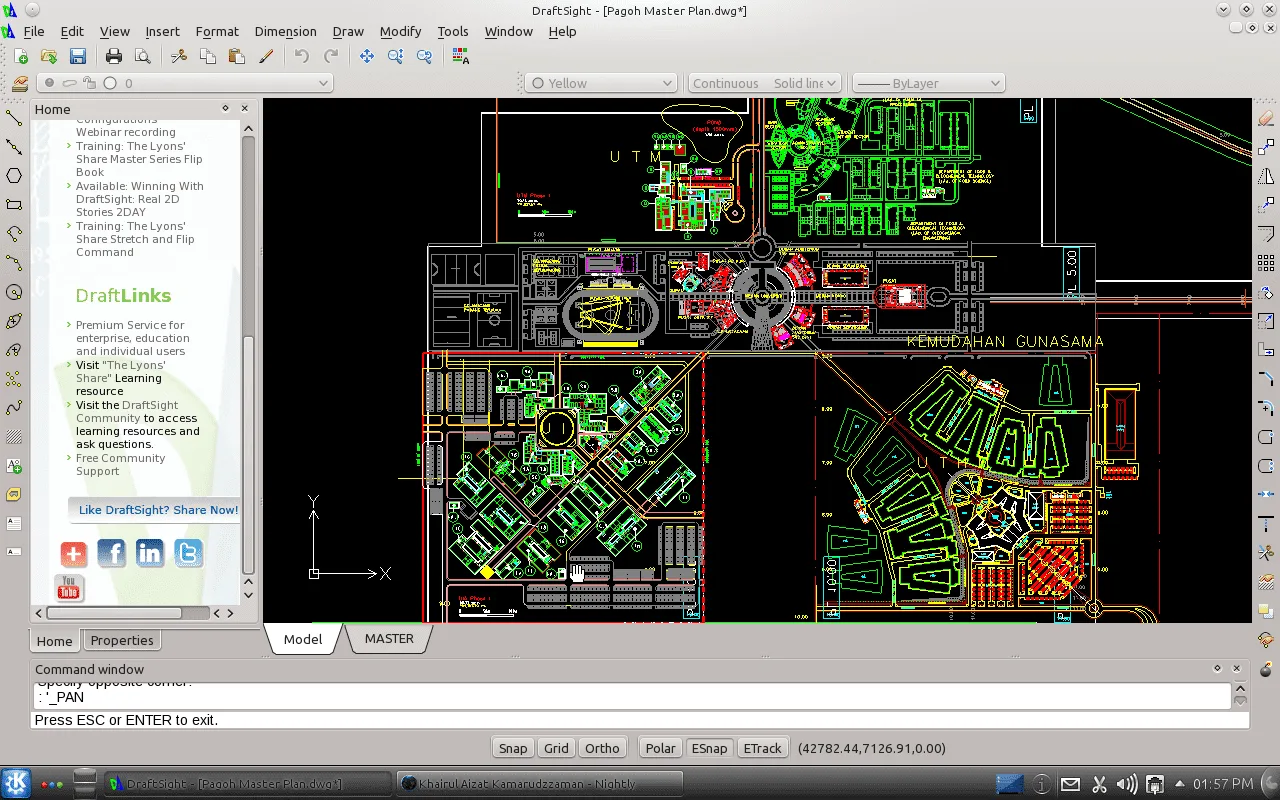
DraftSight Enterprise Plus SP2 is Dassault Systèmes' premium 2D and 3D CAD platform that combines professional-grade drafting with cloud-based collaboration through the 3DEXPERIENCE platform. As the highest tier in the DraftSight product line, Enterprise Plus delivers full native DWG support (compatible back to AutoCAD 2.5), advanced 2D drafting and annotation, 3D parametric and direct modeling, enterprise-grade API access, and seamless integration with the 3DEXPERIENCE cloud for cross-team collaboration, version management, and data sharing.

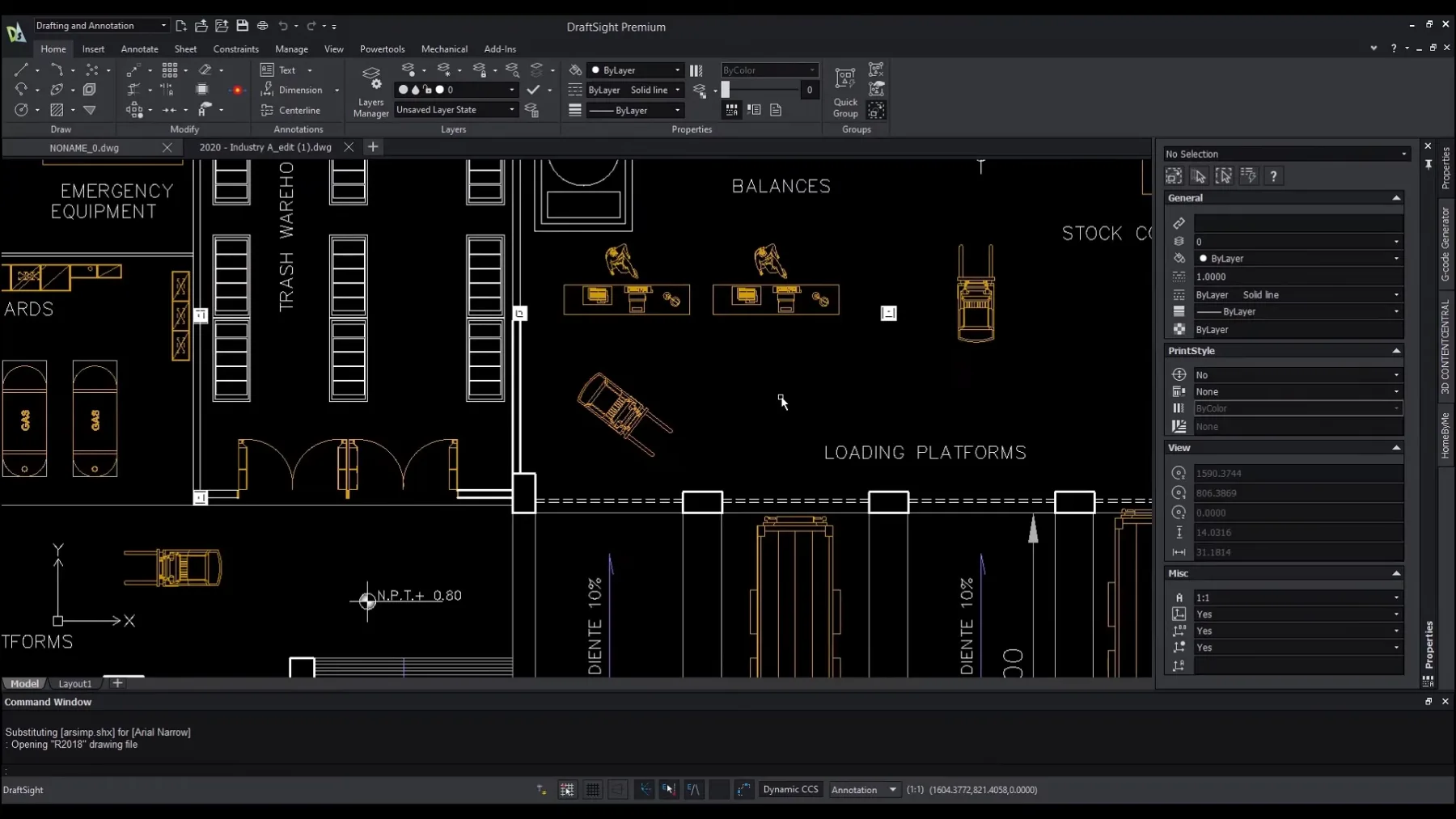
DraftSight 2026 introduces a redesigned Start Page for faster project access, Floating Windows support for multi-document workflows, enhanced Gradient and Pattern Ribbons for advanced annotation, Diesel Expressions for powerful macro automation, and a new LISP Explorer for debugging and managing automation scripts. BIM integration capabilities have also been added for architectural and civil engineering workflows.

EditionCapabilities
StandardProfessional 2D drafting, detailing, and annotation
ProfessionalAll Standard + 3D parametric and direct modeling
EnterpriseAll Professional + LISP, .NET, C++, COM APIs + admin tools
Enterprise PlusAll Enterprise + 3DEXPERIENCE cloud collaboration + version management

3DEXPERIENCE Cloud Integration

The 3DEXPERIENCE platform enables real-time data sharing, automated version control, design review workflows, and cross-team coordination directly from within the DraftSight environment. Team members can access the latest drawings, manage revisions, and collaborate on projects regardless of geographic location.

API and Automation

Enterprise Plus supports comprehensive automation through LISP, .NET, C++, and COM APIs. Users can develop custom macros, automate repetitive tasks, integrate with enterprise systems, and build specialized workflows. The new Diesel Expressions engine and LISP Explorer provide powerful tools for macro development and debugging.

Why Choose DraftSight Enterprise Plus?

For organizations that need to maintain full DWG compatibility while enabling cloud-based collaboration across distributed teams, DraftSight Enterprise Plus offers the most comprehensive solution in the DraftSight family. The combination of familiar CAD tools, flexible licensing, and enterprise-grade features makes it an ideal choice for AEC firms, manufacturing companies, and engineering departments.

Principais recursos

  • 01 Full native DWG support compatible back to AutoCAD 2.5
  • 02 Advanced 2D drafting with intelligent snapping and annotation tools
  • 03 Three-D parametric modeling with feature history and constraints
  • 04 Three-D direct modeling for rapid geometry editing
  • 05 Platform 3DEXPERIENCE Cloud Collaboration with real-time data sharing
  • 06 LISP API with comprehensive function library
  • 07 Custom Application Development with .NET API
  • 08 C++ API for high-performance extensions
  • 09 COM API for legacy integration
  • 10 Diesel Expressions for advanced macro automation
  • 11 LISP Explorer for script debugging and management
  • 12 Sheet set manager with multi-sheet document organization
  • 13 Drawing comparison tool for version difference analysis
  • 14 PDF import with high vector fidelity preservation
  • 15 Batch printing and publishing workflows
  • 16 Floating Windows for multi-document workflows
  • 17 Redesigned Start Page with quick access and customization
  • 18 Gradient and Pattern Ribbons for enhanced annotations
  • 19 BIM integration for architectural and civil workflows
  • 20 Enterprise administration and deployment tools
  • 21 Ribbon and classic menu interface options
  • 22 Parametric constraints for 2D and 3D design
  • 23 Section and elevation views from 3D models
  • 24 Custom tool palettes and workspace configurations
  • 25 Advanced dimension styles and annotation standards
  • 26 Support for external references (XREFs) and underlays
  • 27 DGN, DWF, and image format import/export
  • 28 Satellite imagery scaling for site context

Beneficios

  • 01 Maintain full DWG compatibility with clients and partners without file conversion issues
  • 02 Collaborate across distributed teams with real-time 3DEXPERIENCE cloud platform
  • 03 Automate complex workflows with comprehensive LISP, .NET, C++, and COM API support
  • 04 Reduce CAD licensing costs compared to competing enterprise CAD solutions
  • 05 Streamline sheet set management and batch publishing for large projects
  • 06 Compare drawing versions efficiently with built-in comparison tools
  • 07 Eliminate version control headaches with cloud-based revision management
  • 08 Deploy enterprise-wide with centralized administration and license management
  • 09 Scale from 2D drafting to 3D modeling within a single familiar environment
  • 10 Integrate with existing enterprise PLM and ERP systems via APIs
  • 11 Improve productivity with redesigned interface and new workflow tools
  • 12 Access satellite imagery directly for site context and planning

Requisitos

  • 01 OS 64-bit Windows 11/10 or macOS 11+ (Intel and Apple Silicon)
  • 02 RAM 8 GB minimum (16 GB recommended for complex 3D models)
  • 03 CPU 2.0+ GHz processor, multi-core (Intel Core i5/i7 or AMD Ryzen recommended)
  • 04 Disco 5 GB SSD free space for installation
  • 05 GPU 1 GB VRAM with DirectX 11 or OpenGL 3.3+ (4+ GB VRAM recommended for 3D)

Perguntas frequentes

What editions does DraftSight offer?

DraftSight is available in four editions: Standard (professional 2D drafting), Professional (adds 3D modeling), Enterprise (adds API access and admin tools), and Enterprise Plus (adds 3DEXPERIENCE cloud collaboration).

Is DraftSight compatible with AutoCAD?

Yes, DraftSight uses native DWG format and is highly compatible with AutoCAD commands, LISP routines, and workflows. It supports DWG files back to AutoCAD 2.5 format.

What is 3DEXPERIENCE integration?

3DEXPERIENCE is Dassault Systèmes' cloud-based collaboration platform integrated into DraftSight Enterprise Plus. It enables real-time data sharing, version management, design reviews, and cross-team coordination.

Does DraftSight support LISP?

Yes, Enterprise editions support LISP, .NET, C++, and COM APIs. The 2026 version also introduces Diesel Expressions and a LISP Explorer for advanced macro automation and debugging.

What is included in the Enterprise Plus edition?

Enterprise Plus includes all features of Standard, Professional, and Enterprise editions plus 3DEXPERIENCE cloud integration for collaboration, version management, and data sharing across teams.

Can DraftSight handle 3D modeling?

Yes, Professional and higher editions include both parametric (history-based) and direct modeling for 3D solid modeling.

What file formats does DraftSight support?

DraftSight supports DWG, DXF, DWT, DGN, DWF, PDF, JPEG, PNG, TIFF, BMP, SVG, and image formats for import and export.

Is DraftSight available for macOS?

Yes, DraftSight runs natively on both Windows and macOS (Intel and Apple Silicon).

Does DraftSight support BIM workflows?

The 2026 version adds BIM integration capabilities for architectural and civil engineering workflows including IFC support and material takeoffs.

What is the difference between Enterprise and Enterprise Plus?

Enterprise adds API access and administration tools. Enterprise Plus additionally includes 3DEXPERIENCE cloud collaboration for cross-team data sharing and version management.

Galeria

Softwares relacionados

Verificar VIP Canal público Solicitar Catálogo