
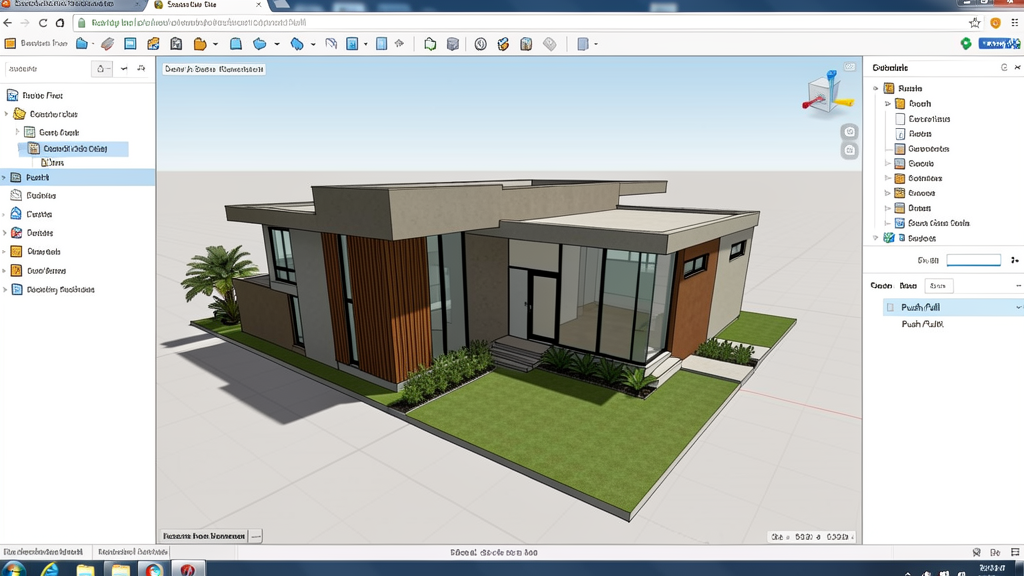
What is SketchUp Free and why are so many Brazilians using it?
SketchUp Free is the free, browser-based version of the most recognized 3D modeling software in the world. Developed by Trimble, SketchUp has won over millions of users across the planet, and Brazil is no exception. Architects, engineers, interior designers, and architecture and civil engineering students use SketchUp to create 3D projects quickly and intuitively.
The big advantage of SketchUp Free is that it runs right in your browser. There's no need to download any installer, it takes up no space on your hard drive, and it works on any computer with internet access. For Brazilian professionals who work in multiple locations or need to access their projects from anywhere, this flexibility is invaluable.
Key features of SketchUp Free
1. Intuitive modeling with Push/Pull
The Push/Pull tool is SketchUp's signature feature. You draw a 2D shape and, with a click and drag, extrude it into 3D. It's so simple that students learn to model a complete house in just a few hours. For Brazilian architects, this means creating building masses, furniture, and construction elements with absurd speed.
2. The 3D Warehouse library
The 3D Warehouse is the largest library of 3D models in the world, with millions of free objects: from furniture and appliances to cars, trees, and people. You can insert these objects directly into your project, saving hours of modeling. For Brazilian residential projects, there are collections featuring furniture from national brands.
3. Plugins and extensions
SketchUp supports plugins that expand its functionality. Paid versions allow you to install extensions such as V-Ray for rendering, LayOut for technical documentation, and Curviloft for complex surfaces. Even in the free version, there are useful plugins available on the Extension Warehouse.
4. Compatibility with other software
SketchUp imports and exports formats such as DWG, DXF, OBJ, STL, 3DS, and KMZ. This lets you work alongside AutoCAD, Revit, Lumion, and other software in the AEC workflow. An architect can create the model in SketchUp and export it for rendering in Lumion.
5. 3D viewer and presentations
SketchUp lets you create interactive 3D presentations that can be shared via a link. Your client can navigate the project in 3D right in their browser, without having to install anything. This feature is especially useful for client presentations in Brazil, where the visual experience decides many projects.
SketchUp Free vs SketchUp Pro: what's the difference?
The free version of SketchUp has some limitations compared to Pro. In the Free version, you work only in the browser and have access to basic modeling tools. SketchUp Pro, on the other hand, offers complete desktop software, LayOut for 2D documentation, full access to the Extension Warehouse, and priority technical support.
For students and personal projects, the Free version is more than enough. For professional firms that need detailed technical documentation and integrated rendering, Pro may justify the investment, which costs around US$ 349/year for a license.
How to get started with SketchUp Free
Go to app.sketchup.com and log in with a (free) Trimble account. SketchUp loads in your browser and you can start modeling right away. The interface is clean and intuitive, and the first time around, an interactive tutorial shows the basic navigation and modeling controls.
CanalVIP tip: Start with simple projects: a living room, a house facade, or a basic piece of furniture. Master Push/Pull and the move tools before advancing to complex projects. There are plenty of tutorials in Portuguese on YouTube that cover everything from the basics to advanced techniques.
Use cases for Brazilian professionals
- Residential architects: Create building masses, interior designs, and presentations for clients.
- Civil engineers: Visualize structures, plan equipment layouts, and create models for estimates.
- Interior designers: Build out spaces with real furniture from the 3D Warehouse and share them with clients.
- Students: Learn 3D modeling for free, build a portfolio, and practice for the job market.
- Construction companies: Create quick visualizations of developments for approval by clients and investors.
Frequently asked questions about SketchUp Free
Does SketchUp Free work offline?
No. The Free version requires an internet connection, since it runs entirely in the browser. For offline use, you need to purchase SketchUp Pro.
Can I use SketchUp Free commercially?
Yes. The free SketchUp license allows commercial use. There are no restrictions on professional use in the free web version.
Does SketchUp Free open AutoCAD .dwg files?
SketchUp Pro imports DWG natively. In the Free version, DWG import is not available, so you'll need to convert to DXF or use Pro to work with AutoCAD files.
How much cloud storage do I get?
The Free version offers 10 GB of storage on Trimble Connect. Projects are saved automatically and accessible from any device.
Is there a SketchUp in Portuguese?
SketchUp has a Brazilian Portuguese interface. Just select the language in the settings when you first launch the software.