
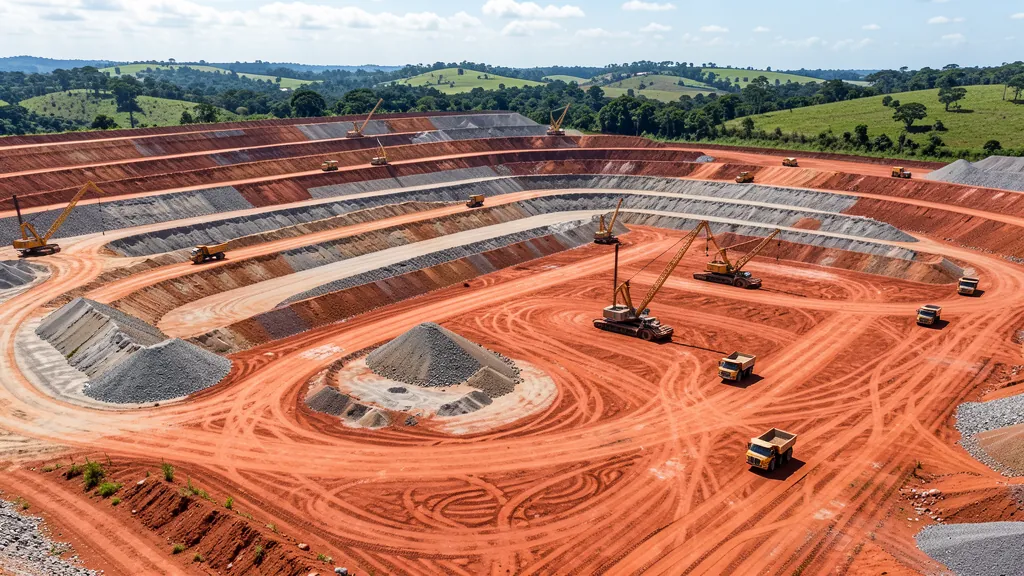
Earthmoving projects for waste rock piles and filtered tailings are technical applications of AutoCAD Civil 3D in mining. Modeling the disposal of sterile material and waste requires mastery of surfaces, corridors and volumetric calculations. In this guide, you understand the essential steps to develop a geometric waste pile design using BIM tools.
What is a Sterile and Filtered Waste Pile?
In mining, waste rock is material with no economic value removed to access the ore. The filtered tailings are the residue from mineral processing, dewatered until low humidity. Both are arranged in stacks designed with strict geotechnical criteria.
AutoCAD Civil 3D allows you to create digital terrain models, design layers and accurately calculate volumes. The flow goes from the original surface to the final configuration of the pile, passing through typical sections and access ramps.
- Base surface: topographic survey of the implementation area
- Typical sections: berm width, slope inclination and layer height
- Corridors: 3D modeling along the advance axis of the pile
- Volumetry: calculation of cut and fill between original and designed surface
Geometric Project Stages in Civil 3D
The development of a sterile pile project follows a logical sequence in Civil 3D. The first step is the surface of the natural terrain using topographic points, contour lines or point clouds. Next, the main alignment that guides the advancement of the stack is defined.
With the alignment created, the typical sections are assembled in Subassembly Composer or directly in Corridor. Each section represents a slice of the pile with bank height, slope angle and safety berm width. For filtered waste, the modeling includes overlapping layers with surface drainage slope, channels and sinks.
ComponentFunction Original surfaceLand base before implementation AlignmentReference axis for the corridor Typical sectionSlope, berm and height parameters Hallway3D model generated along the axis Volumetric calculationDifference between original and designed surfaceNote: Blog CMS removes table tags on rendering. The data above appears as plain text.
Volumetric Studies and Executive Documentation
After modeling the pile, Civil 3D generates volume reports with separation between waste and waste. Volume tables quantify the material needed at each alignment station, essential for excavation and transportation planning.
Executive documentation includes floor plans, cross sections, longitudinal profiles and construction details. All this graphic output is extracted directly from the 3D model, ensuring consistency between what is designed and what is executed.
- Volume report per stake with accumulated
- Automatic cross sections at regular intervals
- Longitudinal profile of the axis with terrain and pile dimensions
- Location plan with final contour lines
- Details of channels, sinks and drainage systems
Specialized companies use Civil 3D integrated with InfraWorks and Navisworks to coordinate implementation with access roads and transmission lines.
How to Get AutoCAD Civil 3D
To develop earthmoving projects for waste rock piles and filtered waste, you need AutoCAD Civil 3D in its full version. Node CanalVIP catalog, you will find the main Autodesk tools for mining and infrastructure engineering, with installation and configuration support.
Also check out our guide to earthmoving project in Civil 3D for additional practical examples. Mastering the modeling of sterile piles is a competitive advantage for civil and mining engineers working with mineral infrastructure projects.