
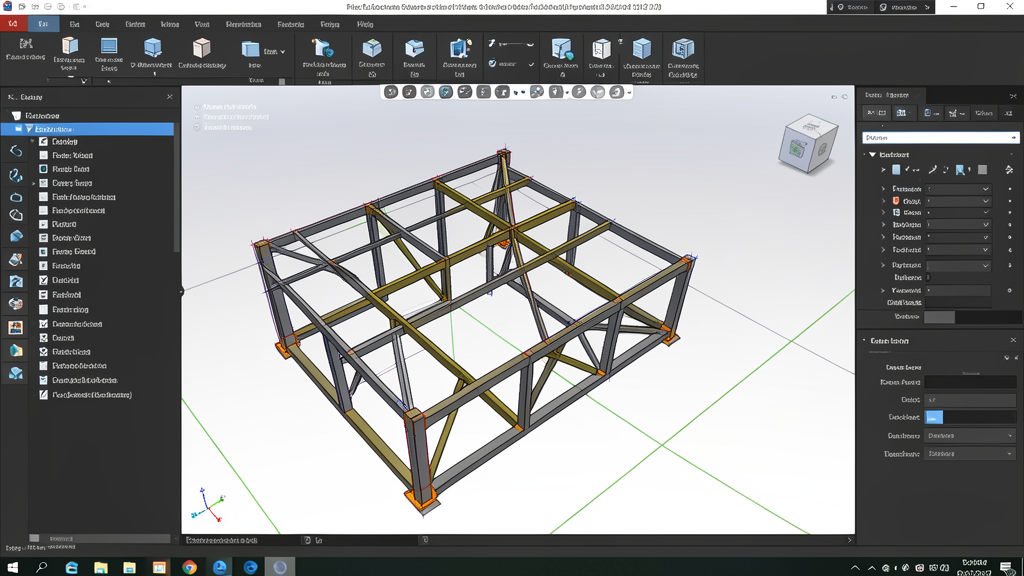
What is FreeCAD and why is it winning over Brazil?
FreeCAD is a parametric 3D modeling software, completely free and open-source, that is gaining ground among engineers, architects, and design professionals in Brazil. Unlike many proprietary tools that require expensive licenses, FreeCAD offers professional features at no cost, making it ideal for students, small firms, and professionals just starting out.
Developed by an active community of developers worldwide, FreeCAD runs on Windows, Mac, and Linux. It reads and writes formats such as STEP, IGES, STL, DXF, OBJ, and IFC, allowing full integration with other software in the AEC workflow.
Key features of FreeCAD
1. Parametric 3D modeling
Parametric modeling lets you go back to any stage of the project and adjust dimensions or parameters, and the entire model updates automatically. For a Brazilian civil engineer, this means being able to change the section of a beam or the diameter of a column without redrawing everything from scratch.
2. Finite element analysis (FEA)
FreeCAD includes FEA tools for structural analysis, allowing you to test strength, deformation, and stresses in parts and structures. Essential for engineers who need to validate designs before execution.
3. Working with BIM
FreeCAD's BIM module lets you create building information models, working with the IFC format. This is essential for projects that follow ABNT standards and require collaboration between multidisciplinary teams.
4. Compatibility with professional formats
FreeCAD imports and exports STEP, IGES, STL, SVG, DXF, OBJ, IFC, DAE, and many other formats. This means you can work with files from AutoCAD, SOLIDWORKS, or Revit without compatibility problems.
5. Customizable interface and Workbenches
The software organizes its tools into "Workbenches" — specific environments for each task: modeling, technical drawing, analysis, robotics simulation, CAM, and CNC. You only load what you need, keeping the interface clean.
Benefits for Brazilian professionals
- Zero cost: No annual licenses, no monthly fees. Perfect for the budgets of small firms and students.
- Active community in Portuguese: Forums, tutorials, and documentation available in Portuguese, making it easier to learn.
- Flexibility: Runs on any operating system, including Linux — ideal for those who want to avoid Windows costs.
- Market readiness: Knowledge of parametric modeling and FEA is valued in the hiring processes of large engineering companies.
- Integration with other software: Allows you to exchange files with AutoCAD, SOLIDWORKS, and BIM tools without data loss.
How to download and install FreeCAD
FreeCAD is available for free on the official website: freecad.org. Just go to the downloads page, choose your operating system (Windows, Mac, or Linux), and download the latest version — currently version 1.1.
To install on Windows, run the .msb installer and follow the instructions. On Linux, FreeCAD is also available in the official repositories of Ubuntu, Fedora, and other distributions. Just type sudo apt install freecad in the terminal.
CanalVIP tip: For those who already use AutoCAD, FreeCAD may feel different at first. We recommend starting with the "Part Design" Workbench and watching basic tutorials before migrating complex projects.
FreeCAD vs AutoCAD: is it worth migrating?
AutoCAD remains the industry standard, especially in large firms that require compatibility with clients and suppliers. However, for many tasks — 3D modeling, structural analysis, prototyping — FreeCAD offers equivalent features without the cost of a license that can exceed R$ 5,000 per year.
The best strategy for many professionals is to use both: AutoCAD for projects that require the native DWG format, and FreeCAD for parametric modeling, analysis, and personal projects.
Frequently asked questions about FreeCAD
Is FreeCAD really free?
Yes. FreeCAD is 100% free and open-source, under the LGPL license. There is no paid version or locked features.
Does FreeCAD open AutoCAD .dwg files?
FreeCAD can import DXF files natively. For DWG files, you need to install an additional plugin or convert the file to DXF before importing.
Is FreeCAD suitable for structural engineering?
Yes. The FEA module allows analysis of stress, deformation, and vibration. Many engineers use FreeCAD to validate structural designs, especially in combination with other calculation tools.
Is there support in Portuguese?
The official documentation is in English, but there is an active community in Brazil with forums, Telegram groups, and YouTube tutorials in Portuguese.
Is FreeCAD suitable for large companies?
For companies that need corporate support, centralized licensing, and PLM integration, AutoCAD or SOLIDWORKS may be more suitable. However, many companies use FreeCAD as a complementary tool.