
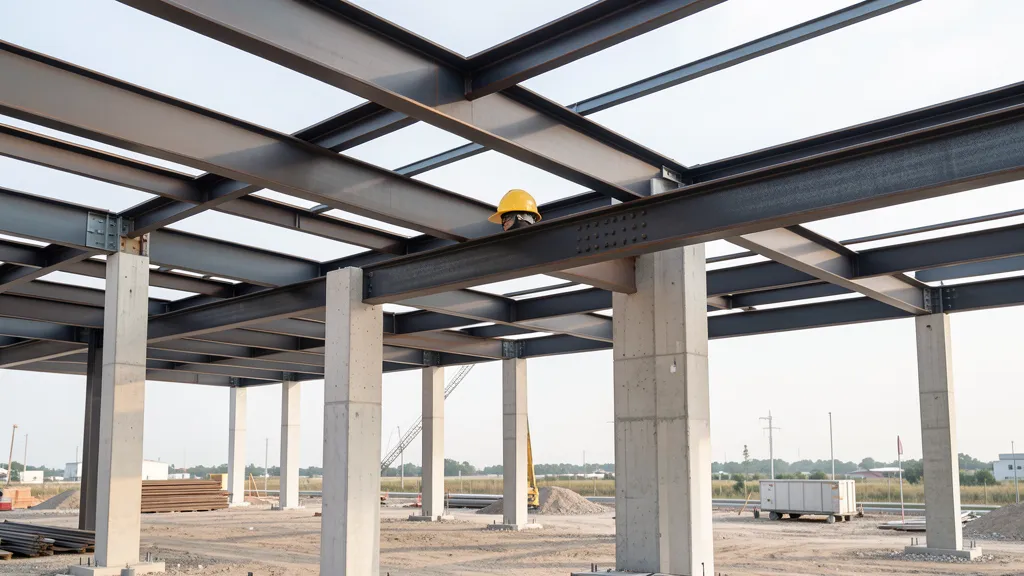
AutoCAD Structural Detailing 2015 is a powerful Autodesk solution for detailing steel and reinforced concrete structures. The software allows you to create detailed three-dimensional models and automatically generate manufacturing drawings, streamlining the workflow between structural design and execution. Integrated into Autodesk's BIM ecosystem, it offers precision and productivity for structural engineers across Brazil.
What is AutoCAD Structural Detailing?
AutoCAD Structural Detailing (ASD) is specialized software from Autodesk focused on detailing structures. Unlike traditional AutoCAD, which is a generic drafting platform, ASD offers intelligent tools and parametric objects specific to structural engineering. It was developed to serve engineers and designers who work with metallic and reinforced concrete structures, allowing the creation of everything from complete structural models to detailed manufacturing plans with a high degree of automation.
The software was part of the Autodesk Revit Structure Suite ecosystem, integrating seamlessly with tools such as Revit Structure and Robot Structural Analysis. This integration allows you to export structural models via CIS/2 format and import reinforcement data directly from the Robot, automating much of the technical documentation process. This means engineers can spend more time on design and less on repetitive design tasks.
- Parametric modeling of metallic and reinforced concrete structures
- Automatic generation of shop drawings with dimensions and parts list
- Bidirectional integration with Revit Structure and Robot Structural Analysis
- Connection libraries and customizable styles for Brazilian and international standards
- Support for technical standards such as ISO, DIN and ABNT NBR
Detailing of Metallic Structures
For steel structures, AutoCAD Structural Detailing 2015 offers a complete set of modeling tools. It is possible to create three-dimensional models of metallic structures using smart objects such as beams, pillars, scissors and bolted or welded connections. The software includes macros for automated creation of structural connections, significantly reducing the time spent on manual modeling.
After modeling, ASD automatically generates manufacturing drawings with dimensions, identification marks and list of parts for cutting and assembly. This drastically reduces time spent on documentation, ensuring that drawings are always in sync with the 3D model. Any change to the model is automatically reflected in the boards, eliminating compatibility errors.
Support for the CIS/2 format allows you to import models from other structural analysis software, facilitating teamwork in multidisciplinary projects. Offices that use Revit Structure for analysis and ASD for detailing are able to maintain a continuous flow of data without loss of information.
Reinforced Concrete Detailing
In the reinforced concrete module, AutoCAD Structural Detailing 2015 allows you to automatically define reinforcement and generate execution drawings for all types of concrete structural elements. The software imports sizing data from Autodesk Robot Structural Analysis Professional and automatically generates reinforcement, with reinforcement plates, iron lists and accurate material quantities.
Engineers can configure specific templates for each country, with standardized gauges, hooks and covers in accordance with local standards. For the Brazilian market, this means compliance with ABNT NBR 6118 and NBR 7480, ensuring that projects meet national technical requirements without the need for manual adjustments.
Among the supported elements are footings, foundation blocks, pillars, beams, slabs and stairs. For each type, the software automatically generates longitudinal and transverse reinforcement details, as well as hooks, splices and anchors, following the rules defined in the project template.
Is AutoCAD Structural Detailing worth using today?
Although the 2015 version predates Advance Steel, which became Autodesk's flagship solution for steel detailing, AutoCAD Structural Detailing is still widely used in many engineering offices in Brazil. The tool stands out for its direct integration with Autodesk's BIM ecosystem and its ability to generate high-quality documentation from the structural model, without rework.
For engineers seeking productivity in steel and reinforced concrete structural detailing, ASD 2015 continues to be a solid and efficient option. Check out the options available on CanalVIP catalog and have access to complete solutions for your structural engineering projects.