
TECHNICAL GUIDE
Autodesk has released AutoCAD 2026, and the update delivers real productivity gains for Brazilian architects, civil engineers, mechanical engineers and electrical engineers. In this guide, you'll find the main new features, how they apply to projects in Brazil and why it's worth upgrading your version.
What's new in AutoCAD 2026
The 2026 release brings more than just cosmetic tweaks. Autodesk focused on three pillars: speed, collaboration and smart automation. Let's break down each one.
1. Startup up to 4x faster
From the very first click, the difference is noticeable. AutoCAD 2026 opens up to four times faster than the previous version, and 2D and 3D files load up to 11 times faster. For day-to-day office work, that means less time waiting and more time drawing.
The gain comes from improvements to the loading engine, which now processes files in parallel, and from asynchronous loading of raster images. Before, when opening a project with several external references and images, the software would freeze until everything loaded. Now, images are processed in the background, letting you start editing immediately.
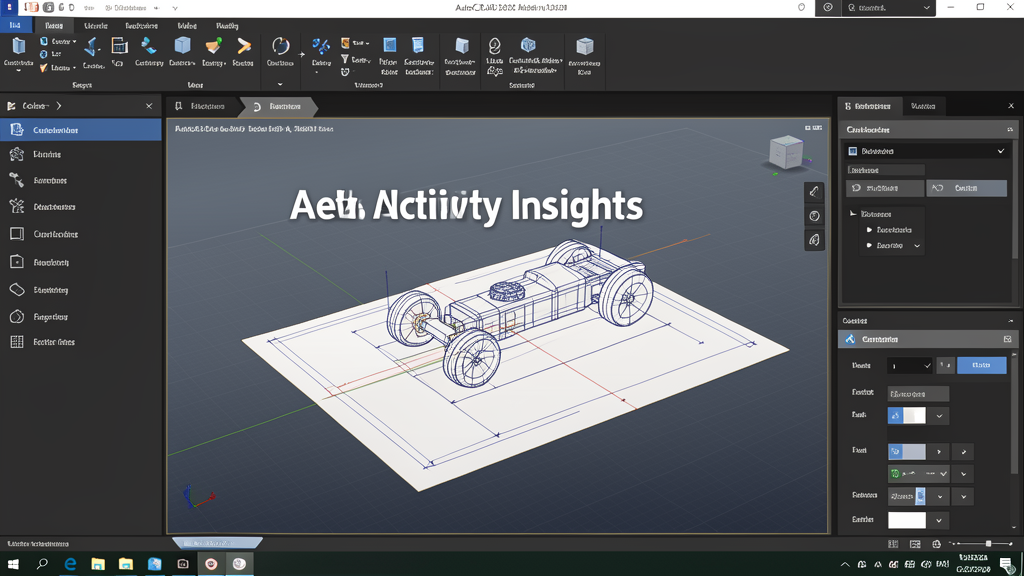
2. Activity Insights: never lose a change again
The new Activity Insights feature shows a consolidated view of every edit made between saved activities. It records:
- Which changes were made in each work session
- When each modification was last saved
- Visual comparisons between versions of the same file
For teams working different shifts or reviewing projects with multiple contributors, this eliminates the classic question: "who changed this drawing?".
3. Multi-User Markup and Autodesk Docs
Real-time collaboration has arrived in AutoCAD 2026. Multi-User Markup lets several professionals comment on the same drawing simultaneously through the web version, without duplicating files or creating version conflicts. Integrated with Autodesk Docs, this workflow replaces the old back-and-forth of marked-up PDFs over email.
For Brazilian firms that have adopted remote or hybrid work, this feature dramatically reduces project review time on drawing sheets.
4. Search and Convert: turn text into blocks
Another significant productivity gain: Search and Convert locates repetitive objects or text throughout the drawing and turns them into blocks with a single click. In floor plans with standard legends, system symbols or recurring construction details, this tool automates what used to be repetitive manual work.
5. Specialized toolsets for engineering
AutoCAD 2026 continues to offer the well-known toolsets that extend the software to specific technical fields:
- Architecture: walls, doors, windows and libraries following international standards (already with adaptations for the Brazilian market via complementary standards)
- Mechanical: automatic sizing, library of bolts and gears
- Electrical: electrical components, single-line diagrams and control schematics
- MEP: coordinated mechanical, electrical and plumbing systems
Each toolset brings smart libraries, dedicated automations and environments optimized for the discipline, with a direct gain in delivering construction-level projects.

How to make the most of AutoCAD 2026 in your engineering office
Before upgrading, go through the following checklist:
- Check compatibility with your XREFS and dynamic blocks: although DWG keeps backward compatibility, some blocks created in very old versions may need review.
- Update your GPU and graphics drivers: AutoCAD 2026's performance gain depends in part on a well-configured graphics acceleration.
- Test the integration with Autodesk Docs: if your team still uses shared folders or WeTransfer to review projects, now is the time to move to Docs.
- Train your team on Activity Insights: the feature requires a minimum of versioning discipline, but the payoff is high.
- Reuse the ABNT block library: take the opportunity to standardize dimensioning, sheets and legends across the entire office.
FAQ - Frequently Asked Questions about AutoCAD 2026
Does AutoCAD 2026 replace AutoCAD LT?
No. AutoCAD 2026 is the full version with support for 3D, LISP/.NET programming tools, toolsets and full integration with Autodesk Docs. AutoCAD LT 2026 still exists as a more affordable 2D version, without specialized toolsets or 3D features.
Do I need a powerful PC to run AutoCAD 2026?
Autodesk recommends at least 16 GB of RAM, a 2.5 GHz processor with multiple cores and a dedicated graphics card with 4 GB VRAM (8 GB recommended). NVMe SSDs are highly recommended for the 4x startup gain. On more modest machines the software still runs, but the experience doesn't tap its full potential.
Does AutoCAD 2026 work with a student license?
Yes. Autodesk continues to offer a free educational license for 1 year to students and teachers at accredited institutions. It includes all the tools of the commercial version, but files generated with the educational watermark cannot be used in professional projects delivered to clients.
Is it worth upgrading from AutoCAD 2024 or 2025 straight to 2026?
Yes, especially if your team works with very heavy files, external references from other professionals or needs remote collaboration. The speed gain and the arrival of Multi-User Markup justify the upgrade for most Brazilian firms.
How does AutoCAD 2026 integrate with Revit and BIM?
DWG remains the universal exchange format. AutoCAD files can be linked as underlays in Revit (and vice versa) through the CAD linking feature. In addition, the BIM Manager workflow typically uses AutoCAD for construction-level detailing and Revit for the coordinated 3D modeling - the two complement each other, they don't compete.
Final thoughts
AutoCAD 2026 represents a leap in maturity for the platform. Autodesk set aside cosmetic increments and delivered measurable gains: real speed, native collaboration and smart automation with Search and Convert. For Brazilian engineers and architects who need to deliver more in less time, upgrading is a practical decision - not just a matter of version.
Want to compare AutoCAD 2026 with other options on the market?
See the full software catalog →
Read also
- Engineering software catalog
- More technical guides on the CanalVIP blog
- Download AutoCAD via CanalVIP
AutoCAD 2026 Autodesk CAD Engineering Brazil ABNT BIM Tools
Disclosure: Some links on this page may be affiliate links. If you buy through them, CanalVIP may earn a commission at no extra cost to you. We only recommend tools relevant to the topic.