
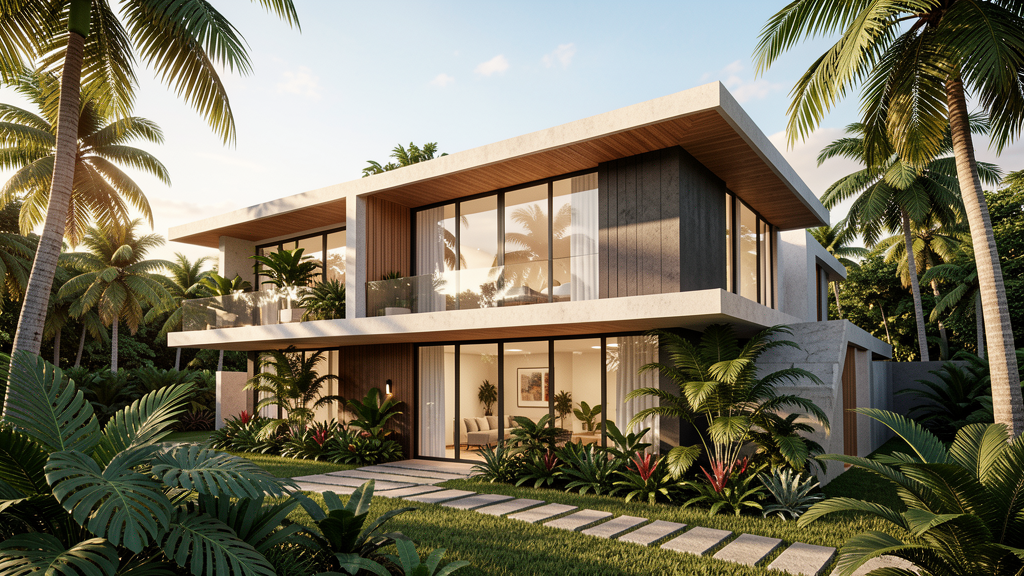
What is Lumion and why is it so popular among Brazilian architects?
Lumion is a real-time 3D rendering software that turns architectural models into stunning images, videos and 360° panoramas. Created by Act-3D, Lumion has become a global benchmark in architectural visualization — and in Brazil, it is practically the standard in architecture and engineering firms.
Lumion's big selling point is speed. While software like V-Ray can take hours to render a scene, Lumion produces photorealistic images in minutes. For Brazilian architects who need to present projects to clients on tight deadlines, that speed makes all the difference.
Main features of Lumion
1. Real-time rendering
Lumion renders directly on the graphics card, letting you see results instantly. You adjust lighting, materials and vegetation and see the changes in real time. This speeds up the creative process and lets you experiment with different scenarios quickly.
2. Extensive content library
Lumion includes thousands of high-quality materials, 3D objects, vegetation, people and scenery elements. You can add native Brazilian trees, street furniture, vehicles and people in just a few clicks. The library is constantly updated with new assets.
3. CAD and BIM compatibility
Lumion works with virtually any 3D modeling software: SketchUp, Revit, ArchiCAD, AutoCAD, Rhino, 3ds Max and more. The Lumion LiveSync plugin enables real-time synchronization — you change the model in the source software and Lumion updates instantly.
4. Atmospheric effects and lighting
Lumion offers full control over lighting, sky, weather and atmospheric effects. You can simulate a Brazilian sunset, tropical rain, morning fog or a clear sky. Global shadowing effects and realistic reflections turn any model into a photographic scene.
5. Versatile outputs
Lumion generates high-resolution still images, cinematic videos, 360° panoramas and virtual tours. For client presentations, 360° panoramas are especially effective — the client can explore the project as if they were there.
Lumion Pro vs Lumion Standard: which to choose?
Lumion Standard meets basic rendering needs, with smaller libraries and fewer effects. Lumion Pro offers the full library, more effects, 4K rendering and access to Lumion Cloud for collaboration. For professionals working on multiple projects, Pro is the more efficient choice.
Lumion also offers Lumion View — a free plugin for SketchUp and Revit that enables real-time rendering directly inside those programs. It's an excellent entry point for anyone who wants to try it before subscribing.
How does the Lumion subscription work?
Lumion adopted a subscription model in 2023. Plans vary according to the level of access and duration. For Brazilian professionals, the investment may seem high, but the return — in the form of impressive presentations and faster project approval — usually pays off.
CanalVIP tip: Before subscribing, take advantage of the free trial period to test Lumion with your own projects. Check that your computer meets the minimum requirements — Lumion requires a dedicated graphics card with at least 6 GB of VRAM.
Hardware requirements for Lumion
Lumion is a demanding software that requires suitable hardware. For satisfactory performance, the following is recommended:
- Graphics card: NVIDIA GeForce RTX 3060 or higher (minimum 6 GB VRAM)
- Processor: recent-generation Intel Core i7 or AMD Ryzen 7
- RAM: 16 GB minimum, 32 GB recommended
- Storage: SSD with at least 100 GB free
- Operating system: Windows 10/11 64-bit
Apple computers with M chips are not officially supported by Lumion.
Use cases for Brazilian professionals
- Residential architects: Create photorealistic presentations of houses and apartments for client approval.
- Commercial architects: Visualize stores, offices and restaurants with realistic lighting and furniture.
- Landscape designers: Showcase gardening and landscaping projects with native Brazilian vegetation.
- Construction companies: Generate marketing materials for developments before the work is completed.
- Students: Create impressive visual portfolios for selection processes and competitions.
Frequently asked questions about Lumion
Does Lumion work on Mac?
No. Lumion is compatible only with Windows 10/11 64-bit. Mac users need to use Boot Camp or a virtual machine running Windows.
Do I need internet to use Lumion?
For basic use, no. Lumion runs locally on your computer. The internet is only needed for downloading, updates and using Lumion Cloud.
Does Lumion open AutoCAD .dwg files?
Lumion doesn't open DWG directly. You need to import the model via formats such as SKP, FBX, OBJ or DXF. The recommended approach is to use SketchUp as an intermediary to convert DWG before importing into Lumion.
How long does it take to render an image?
It depends on the complexity of the scene and the hardware. Simple images can be rendered in 1-2 minutes. Complex scenes with many effects can take 5-10 minutes. One-minute videos can take from 30 minutes to 1 hour depending on the resolution.
Is there a Portuguese version of Lumion?
Lumion has a Brazilian Portuguese interface. When installing, just select the language in the initial settings.