Ir para o conteúdo
Voltar ao catalogo
nanoCAD Plus
Nanosoft

nanoCAD Plus

nanoCAD Plus 2026 is a professional DWG-compatible CAD with 2D/3D modeling, parametric design, and API automation support.

26.0 Available windows Listing verificado

Sinais de confianca

Link Revisado
Suporte VIP
Ativação

Use apenas fontes confiaveis e confira a origem antes de instalar qualquer arquivo. Disponibilidade pode variar.

Sobre o software

Overview

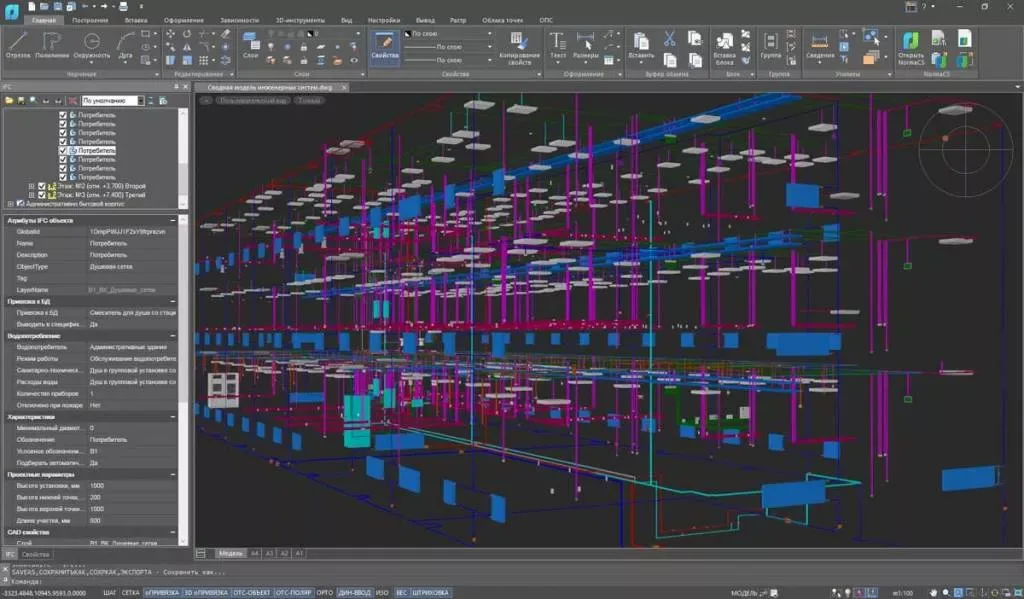
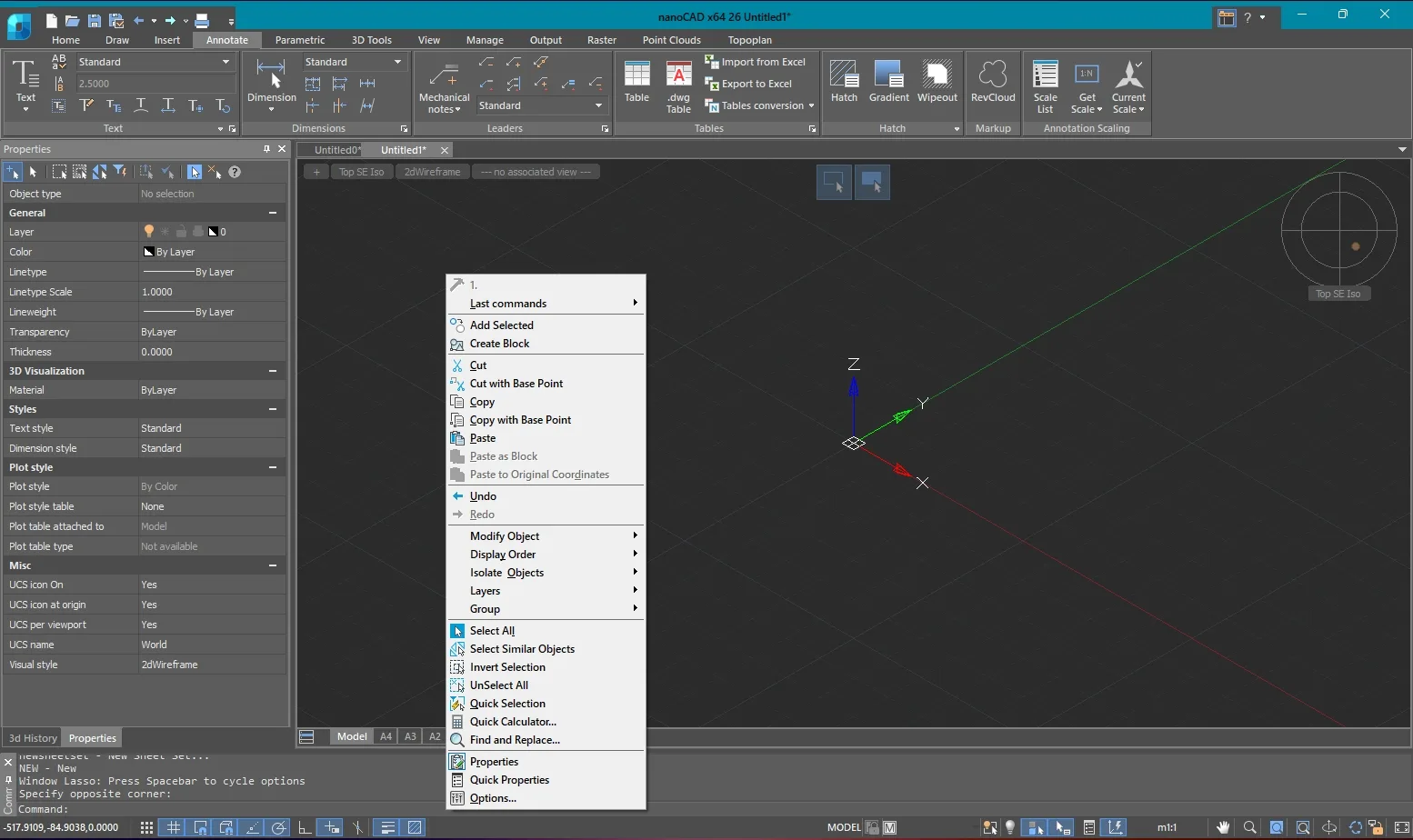
nanoCAD Plus 2026 by Nanosoft is a professional DWG-compatible CAD platform offering comprehensive 2D drafting, 3D solid/surface/mesh modeling, parametric design, and extensive API support at a budget-friendly price point. It provides native DWG file support, a familiar interface similar to AutoCAD, and advanced features including parametric constraints, dynamic blocks, and sheet set management — making it a compelling alternative for organizations seeking professional CAD capabilities without high licensing costs.

nanoCAD Plus has gained significant global traction as a cost-effective AutoCAD alternative with true .dwg native format support. Unlike free CAD options that compromise on functionality, nanoCAD Plus delivers professional-grade 2D drafting, robust 3D modeling, and comprehensive automation through LISP, COM, .NET, and C++ APIs. The software is available in three editions: Free (non-commercial), Plus (professional), and Pro (specialized architecture/BIM and mechanical modules).

FeaturenanoCAD Plus 2026
File FormatNative DWG — work directly with .dwg files
2D DraftingComprehensive with intelligent snapping and annotation
3D ModelingSolid, surface, and mesh modeling
ParametricParametric constraints and dynamic blocks
API SupportLISP, COM, .NET, and C++
PlatformWindows 64-bit

Professional 2D Drafting

nanoCAD Plus delivers a complete 2D drafting environment with intelligent object snapping, advanced dimensioning, annotation scaling, hatch patterns, layer management with filters and groups, and all standard CAD drawing and modifying tools. The interface is designed to be immediately familiar to users transitioning from other DWG-based CAD platforms.

3D Modeling

The software supports wireframe, surface, solid, and mesh modeling with a full suite of 3D creation and editing tools. Users can create extrudes, revolves, sweeps, and lofts, perform Boolean operations, and visualize models with multiple viewport configurations and visual styles.

API and Automation

nanoCAD Plus supports LISP, COM, .NET, and C++ APIs, enabling users to run existing AutoCAD LISP routines, develop custom applications, and automate repetitive tasks. This broad API support ensures compatibility with a vast ecosystem of existing CAD automation tools.

Collaboration and Documentation

Advanced tools for collaboration include external references (XREF) with on-demand loading, sheet sets for multi-sheet document organization, batch plotting, PDF import/export with vector fidelity, raster image management, and markup and redlining capabilities.

Principais recursos

  • 01 Native DWG file format support — no conversion required
  • 02 Comprehensive 2D drafting with intelligent snapping and annotation
  • 03 Three-D solid modeling with extrude, revolve, sweep, and loft
  • 04 Three-D surface and mesh modeling
  • 05 Parametric constraints for geometric and dimensional control
  • 06 Dynamic blocks with visibility states and parameters
  • 07 Advanced layer management with filters and groups
  • 08 External references (XREF) with on-demand loading
  • 09 LISP API for running existing AutoCAD routines
  • 10 COM API for application integration
  • 11 Custom Development with .NET API
  • 12 C++ API for high-performance extensions
  • 13 Sheet set manager for multi-sheet organization
  • 14 Batch plotting and publishing
  • 15 PDF import with vector fidelity preservation
  • 16 Raster image management and vectorization tools
  • 17 Collaboration tools with markup and redlining
  • 18 Dimension styles and annotation scaling
  • 19 Hatch patterns with associative and non-associative options
  • 20 Table editor with spreadsheet-like functionality
  • 21 Block editor for creating and editing dynamic blocks
  • 22 Viewport configurations and visual styles
  • 23 Coordinate system management (UCS/WCS)
  • 24 Property painter and match properties
  • 25 Object selection filters and quick select

Beneficios

  • 01 Save significantly on CAD licensing costs while maintaining full DWG compatibility
  • 02 Work with any .dwg file from any source without format conversion
  • 03 Run existing AutoCAD LISP routines without modification
  • 04 Customize and automate workflows with multiple API options
  • 05 Access professional 2D drafting and 3D modeling in a single product
  • 06 Transition easily from other CAD platforms with familiar interface
  • 07 Automate repetitive drafting tasks with parametric constraints and dynamic blocks
  • 08 Collaborate effectively with XREF, markup, and sheet set tools
  • 09 Create professional documentation with batch plotting and PDF export
  • 10 Scale from free non-commercial use to full professional deployment
  • 11 Benefit from regular updates and active development

Requisitos

  • 01 OS 64-bit Windows 11/10 (21H2+)
  • 02 RAM 4 GB minimum (8-16 GB recommended)
  • 03 CPU 2.0+ GHz processor (Intel Core i5/i7 or AMD Ryzen recommended)
  • 04 Disco 3 GB SSD free space for installation
  • 05 GPU 512 MB VRAM with OpenGL 3.3+ (2+ GB VRAM recommended for complex 3D models)

Perguntas frequentes

Who develops nanoCAD?

nanoCAD is developed by Nanosoft, a Russian software company founded in 2002 with over 20 years of CAD development experience. It is used by over 1 million users worldwide.

Is nanoCAD free?

nanoCAD Free is available for non-commercial use with limited features. nanoCAD Plus and Pro are paid commercial versions with full professional capabilities.

Does nanoCAD support LISP?

Yes, nanoCAD Plus supports LISP, COM, .NET, and C++ APIs — making it compatible with many existing AutoCAD LISP routines and custom applications.

Is nanoCAD compatible with AutoCAD?

Yes, nanoCAD uses native DWG format and supports most AutoCAD commands, LISP routines, dynamic blocks, and workflows. DWG files can be shared directly without conversion.

What is the difference between nanoCAD Plus and Pro?

nanoCAD Plus is the professional 2D/3D CAD platform. nanoCAD Pro includes Plus features plus specialized modules for architecture (with BIM tools) and mechanical design.

Does nanoCAD support 3D modeling?

Yes, nanoCAD Plus supports solid, surface, and mesh 3D modeling with a full suite of creation and editing tools including Boolean operations.

What file formats does nanoCAD support?

nanoCAD supports DWG, DXF, DWT, PDF, JPEG, PNG, TIFF, BMP, SVG, EMF, and WMF formats for import and export.

Does nanoCAD work on macOS or Linux?

nanoCAD is a Windows-native application. It runs on 64-bit Windows 11/10 and requires Windows 21H2 or later.

Can nanoCAD open the latest AutoCAD DWG files?

Yes, nanoCAD Plus supports the latest DWG file format versions, ensuring compatibility with files created in the most recent AutoCAD releases.

Does nanoCAD have dynamic blocks support?

Yes, nanoCAD Plus fully supports dynamic blocks including visibility states, parameter sets, and action configurations.

Galeria

Softwares relacionados

Verificar VIP Canal público Solicitar Catálogo